Route Optimization for Lawn Care Businesses
How Route Optimization Works
Get optimized routes in three simple steps.
Add Your Jobs
Schedule jobs for the day or week. Include customer addresses and any time constraints.
Click Optimize
Our algorithm calculates the most efficient route based on location, time windows, and crew availability.
Hit the Road
Export to your favorite navigation app and start servicing customers with confidence.
See Route Optimization in Action
Real screenshots showing optimized routes on the map and mobile navigation.
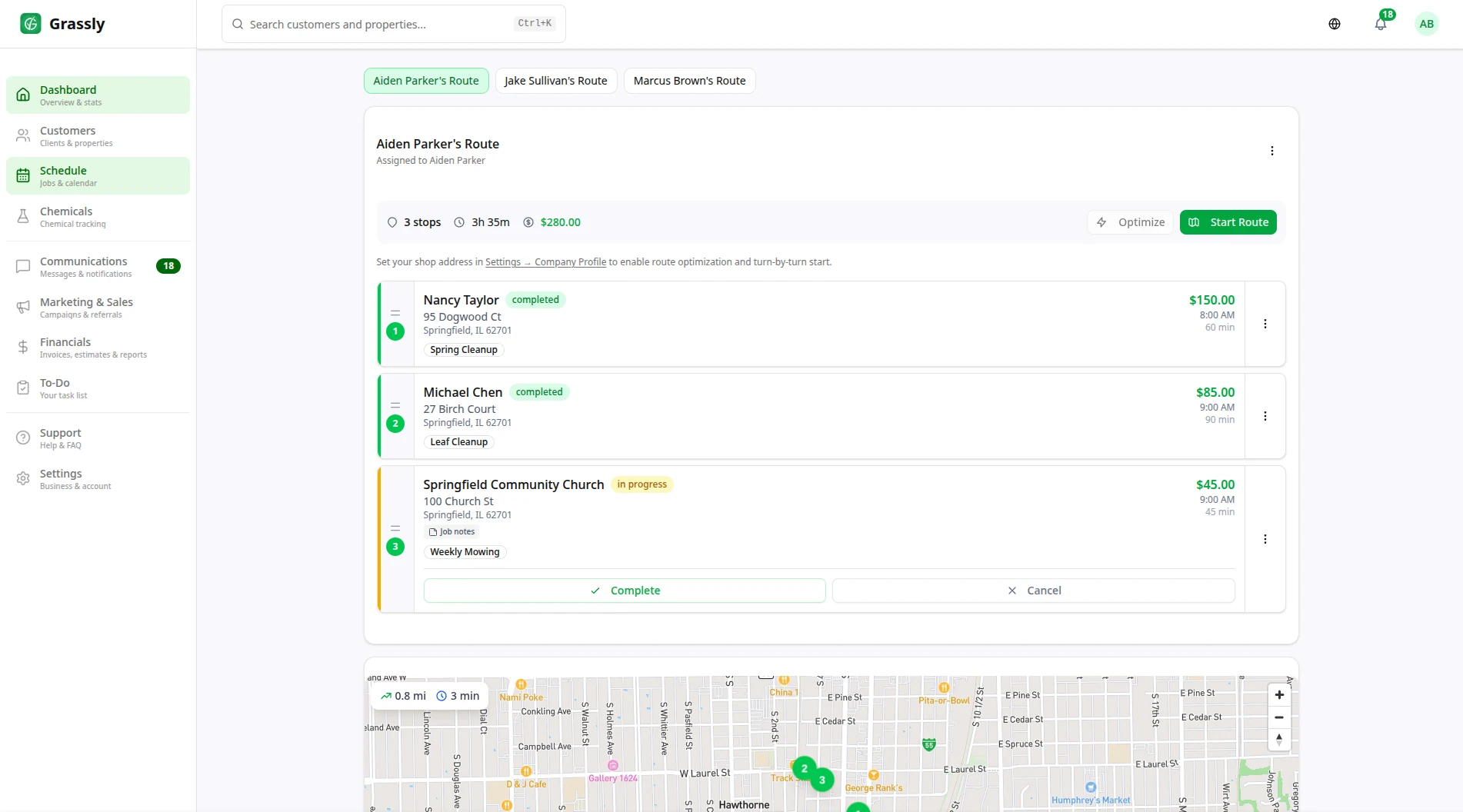
Optimized routes with turn-by-turn navigation
Day view with route map showing numbered stops and optimized path
Powerful Route Optimization Features
Everything you need to run efficient routes and grow your lawn care business.
Smart Route Planning
Automatically optimize routes based on job locations, time windows, and crew assignments. Save hours of manual planning.
Time Window Support
Honor customer appointment windows while still optimizing your overall route. Never miss a scheduled arrival time.
Fuel Cost Savings
Reduce fuel costs by up to 30% with optimized routes that minimize driving distance and time between jobs.
Turn-by-Turn Directions
Export optimized routes directly to Google Maps or Apple Maps for easy navigation between job sites.
Dynamic Re-routing
Quickly re-optimize routes when jobs are added, canceled, or rescheduled. Adapt to changes in real-time.
Multi-Crew Support
Optimize routes for multiple crews simultaneously. Balance workloads and minimize overlap between teams.
Recurring Route Templates
Create optimized route templates for recurring service days. Apply the same efficient routes week after week.
Visual Route Mapping
See your entire day on an interactive map. Drag and drop jobs to manually adjust routes when needed.
Route Analytics
Track miles driven, time between jobs, and efficiency metrics. Identify opportunities for improvement.
Reduced Drive Time
Cut windshield time significantly. Spend more time servicing customers and less time driving between jobs.
Geographic Clustering
Group nearby jobs together automatically. Service entire neighborhoods efficiently in a single trip.
One-Click Optimization
Optimize an entire day's route with a single click. No complex settings or manual calculations required.
Why Lawn Care Companies Need Route Optimization
Manual route planning costs you time and money every single day.
Route Optimization FAQ
Common questions about Grassly's route optimization features.
How does route optimization save money?
Route optimization reduces the total miles driven between jobs, which directly reduces fuel costs (typically 20-30% savings). It also allows you to fit more jobs into each day by eliminating wasted drive time, increasing revenue without adding costs.
Can I optimize routes for multiple crews?
Yes! Grassly can optimize routes for multiple crews simultaneously. The system balances workloads between crews and ensures efficient coverage of your service area without overlap.
Does it work with recurring services?
Absolutely. You can create optimized route templates for recurring service days. Once optimized, these routes can be reused week after week, with the ability to add or remove jobs as needed.
Can I manually adjust the optimized route?
Yes. While the algorithm creates optimal routes, you can drag and drop jobs to manually adjust the order. This is useful when you have specific customer preferences or local knowledge the system doesn't have.
What navigation apps does it work with?
Grassly exports optimized routes to Google Maps and Apple Maps. Simply tap the export button and your route opens in your preferred navigation app with all stops in the optimal order.
Funciones relacionadas
Explore otras funciones de Grassly que se complementan muy bien.

Comience su primera temporada con Grassly
Únase a los negocios de jardinería que gestionan su programación, facturación y equipos en una sola plataforma, ahora con trazado de propiedades, programación según el clima y ventas adicionales asistidas por IA.